Categories
2. How to create sales invoice
Sales Invoice
A Sales Invoice is a formal document issued by a seller to a buyer after goods or services have been delivered. It acts as a request for payment and serves as an official record of the sale.
1. Sales | Invoice
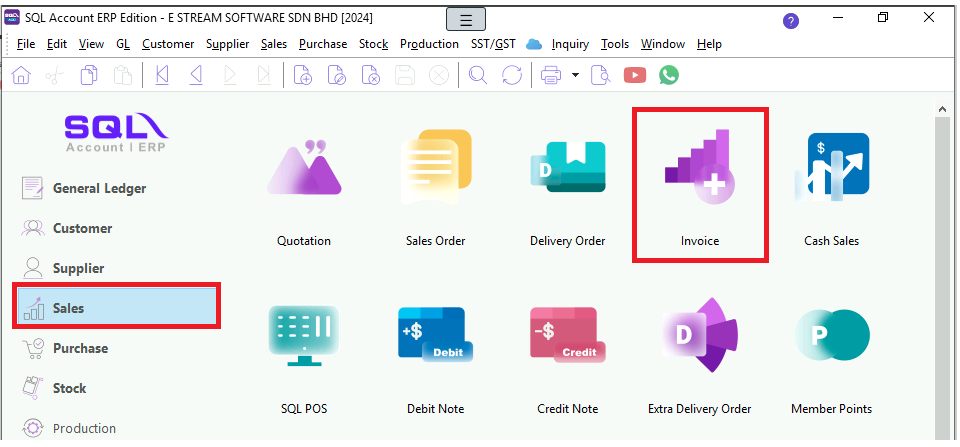
2. New

3. Select Customer Code | Add | select Item Code | Save
# the field like QTY, UOM, unit price, Discount can be manually edited before we saved.

4. The icon here, we named it as 'hamburger' (XD), click on it and tick the field you want to add on like Tax, the ticked field will come out in the new column.
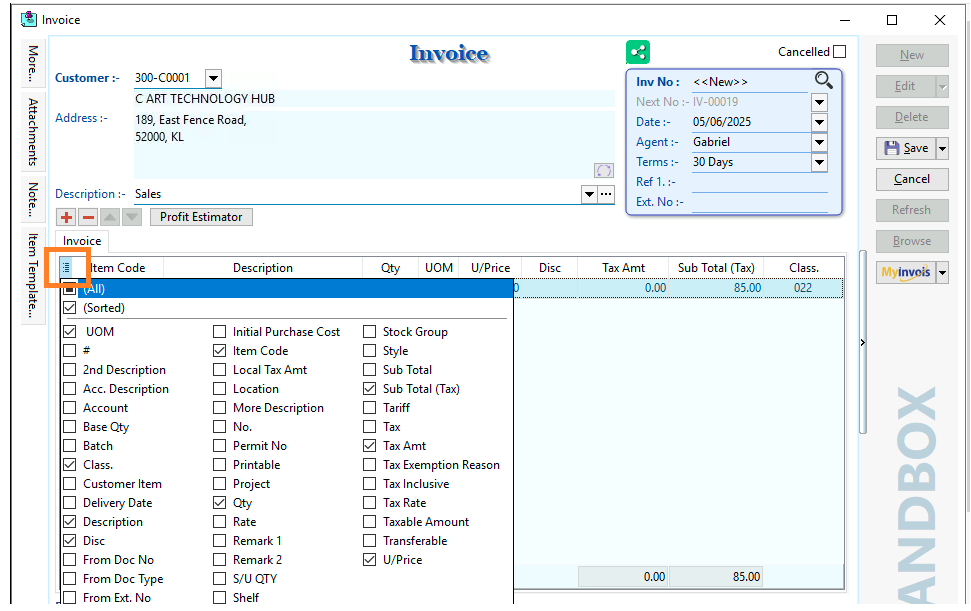
Take note:
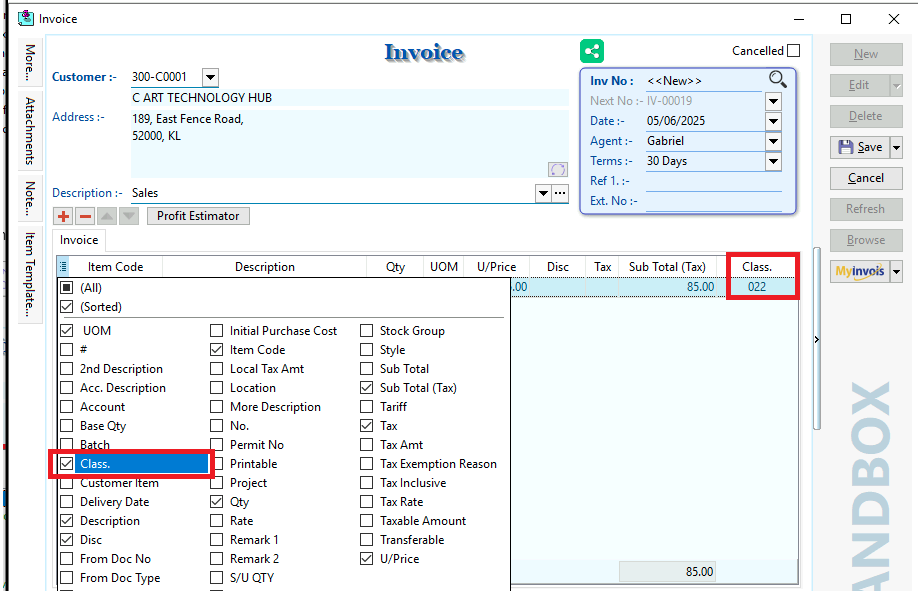
Classification Code is a mandatory field in E-Invoice, used to categorize products or services for tax analysis and monitoring. There are 45 classifications in total.
We can select the field 'Class.' by using 'hamburger' function.

5. After saved, click on the Preview icon which is beside the Printer icon, you may choose your preferred format.

6. Preview the report and you can print or export it into PDF/ Email/ RTF(Microsoft Word)/Excel or others

Video Guide Link:
https://www.youtube.com/watch?v=i3c7_pifvHE