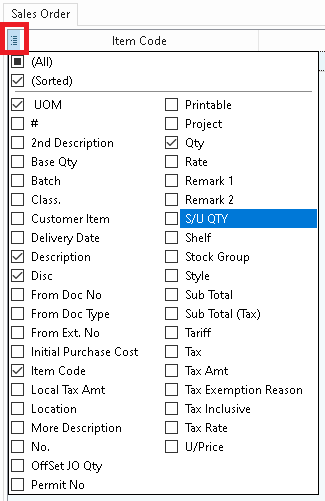
1. Click on the icon in the red box, tick/untick the columns that you want/don't want to appear for the user.
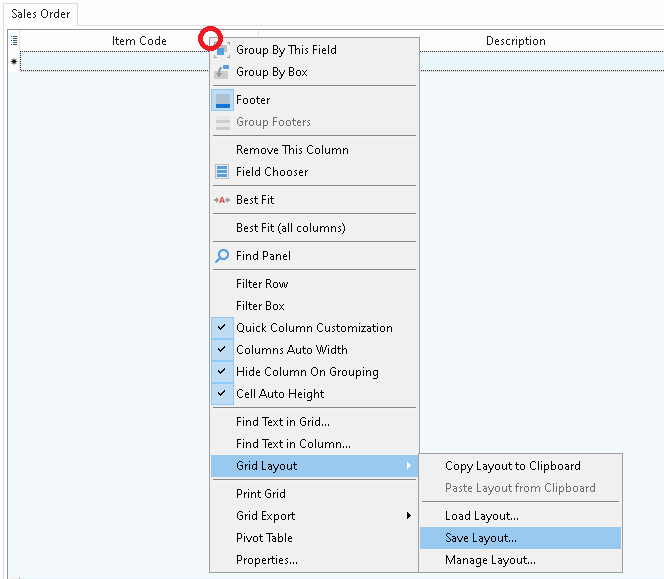
2. Right click on any one of the columns, go to Grid Layout -> Save Layout.
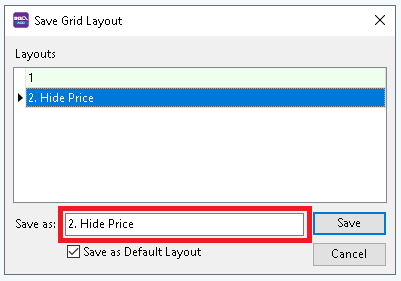
3. Enter a name then save it.
4. Right click on any one of the columns again, go to Grid Layout -> Manage Layout.
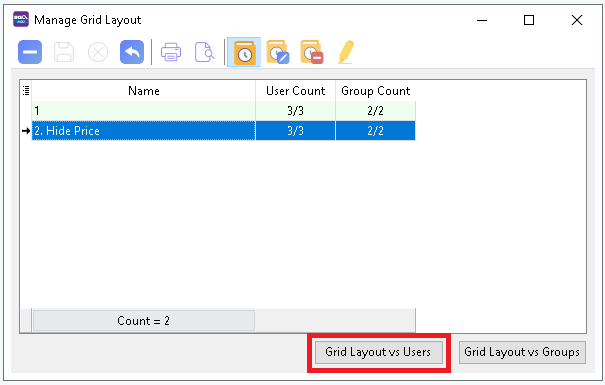
5. Click on Grid Layout vs Users.
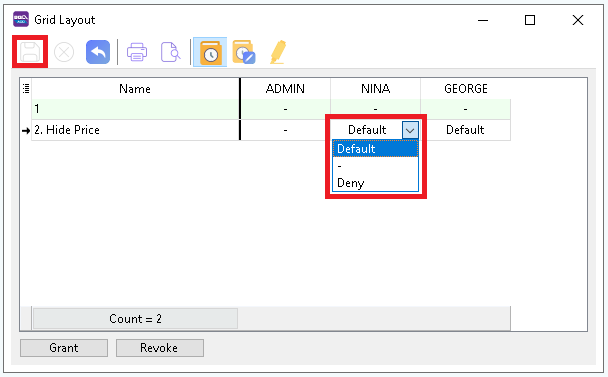
6. Under each user you wish to assign that layout to, choose Default. Then, click save at the top left.
7. If you wish to disable grid customization (the button in the red box in 1.) for the user, under 'Group: Misc' in User Access Right, make sure 'Customize Grid' is NOT TICKED.